New in Sharetribe 🎉 Attach files to messages
Shipped on
Customers and providers can now attach files to messages in transactions. Let users share images, PDFs, contracts, deliverables, and more without leaving the platform.
Let providers and customers share files with each other directly in transaction messages.
When you enable file attachments in your marketplace, customers and providers can send up to 10 files per message, up to 1 GB per file. All files are scanned for security, and malicious files are removed automatically.
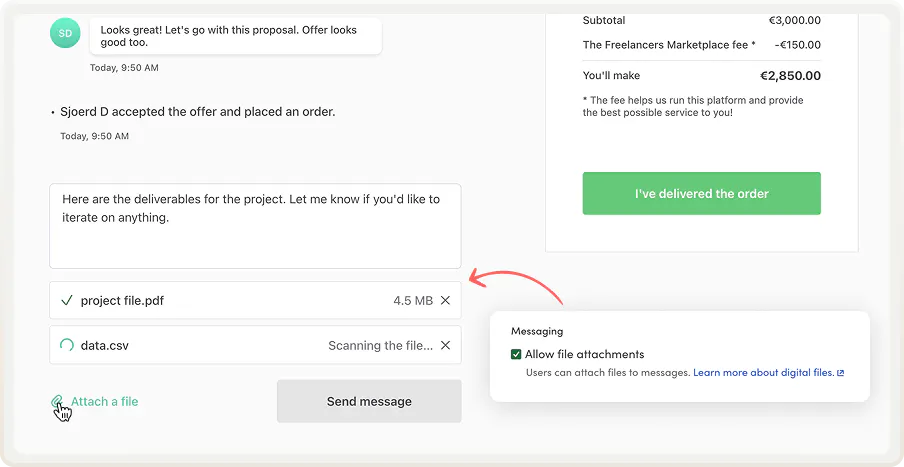
Here are just a few examples of what’s now possible for different types of marketplaces:
- On rental platforms, customers can photograph items or apartments before and after and send the images to the provider (a classic way to handle damage disputes). Hosts can also share files with access instructions or local guides with guests.
- On marketplaces for selling custom digital products, sellers can deliver the final file (such as a logo, template, or document) in the transaction conversation. If revisions are needed, parties can exchange versions in the same thread.
- On platforms for complex B2B services, people can share quotes, contracts, invoices, or project specs without switching tools. For knowledge work like design, editing, or programming, the deliverable itself is often a file.
- On marketplaces where payment happens off platform or not at all, message files open up more possibilities. For example, on a job board, a candidate can attach a CV and cover letter in a message. On marketplaces that match people for pro-bono services or skill-swapping, files can be used to share notes, briefs, background documents, and more.
In other words: if your users often send files during transactions, they no longer need to upload them onto a separate storage site and send URLs. Now, they can just upload files into messages.
Read on to learn how to turn on file attachments and how to manage files as an operator.
How to allow file attachments in messages
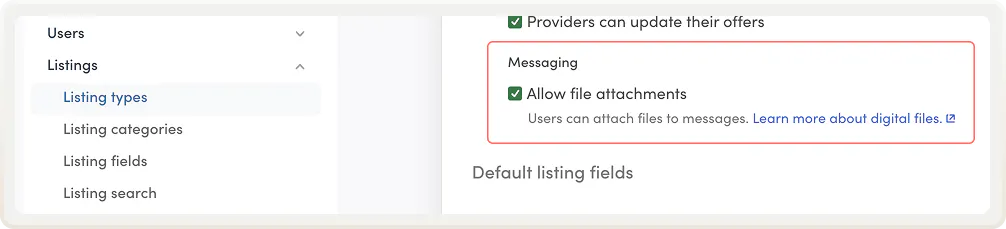
To turn on file attachments, go to listing type settings.
- Open a listing type.
- Scroll to the new Messaging section above default listing field settings.
- Turn on the new setting Allow file attachments.
Once enabled, both transaction parties will see an "Attach file" option under the message field on the transaction page.
Learn more about attaching files to messages.
If you've customized your marketplace with code, make sure your template is updated to the release v11.2.0 or newer to start using file attachments.
Operator controls
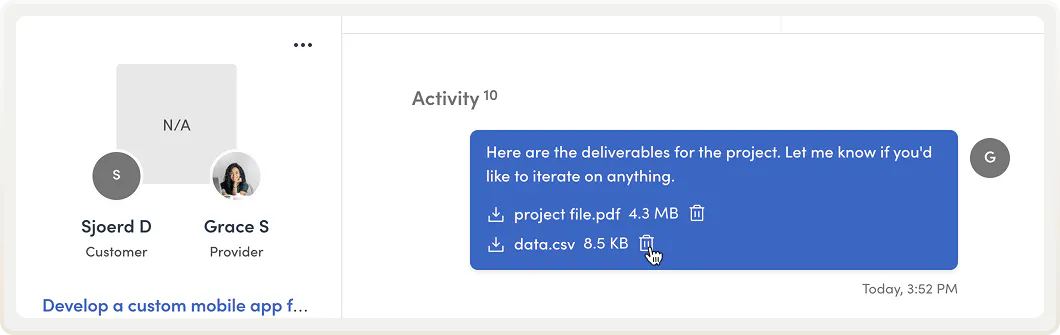
As the marketplace operator, you can download, inspect, and delete any file in the transaction's activity in transaction management.
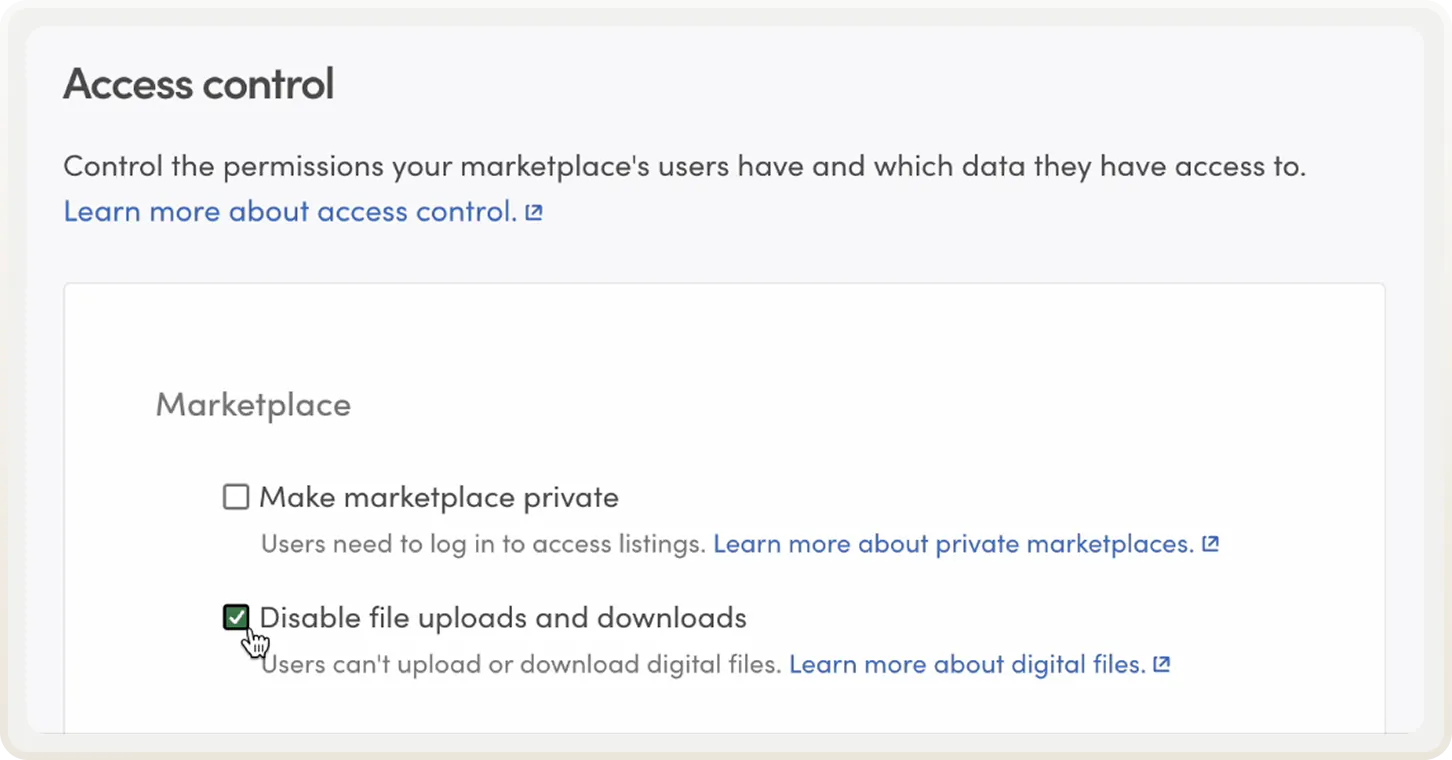
You can also pause all file uploads and downloads across your marketplace at once in access control. This is useful if you need to respond quickly to a spam attack or don't want to allow uploads and downloads at all.
Learn more about disabling uploads and downloads.
Update marketplace and email texts
This launch introduces new marketplace and email texts. You can find the new texts in Sharetribe’s Help Center:
Copy the new texts and paste them into your marketplace text and email text editors, especially if you want to make changes to them. Otherwise, your marketplace will use the default texts.
Ready to try it?
Once you turn on file attachments to messages, users no longer need to leave the transaction thread to upload or download files. Everything can happen right there, on your platform.
Head over to listing type settings to enable them right away.
Start your 14-day free trial
Create a marketplace today!
- Launch quickly, without coding
- Extend infinitely
- Scale to any size
No credit card required