New in Sharetribe 🎉 Purchase digital files
Shipped on
Sharetribe’s newest transaction process is built for products that are delivered as a digital file. With the Digital download process, sellers upload files to their listings, and buyers get access to them automatically after purchase. Everything happens and is stored in your Sharetribe marketplace.
If your marketplace is for selling digital files, here’s a game-changing Sharetribe feature: a dedicated transaction process for selling files, Digital download.
It works for any product that sellers can make once and sell repeatedly without constraints. Such as:
- Design templates
- Sewing or knitting patterns
- Software plugins
- Stock photos
- Music tracks
- And more!
Until now, selling any of these meant hosting the somewhere else and sharing a link, or integrating a third-party storage with code. Not anymore: Sharetribe host all files uploaded to listings and they're directly accessible through your marketplace.
How to set it up
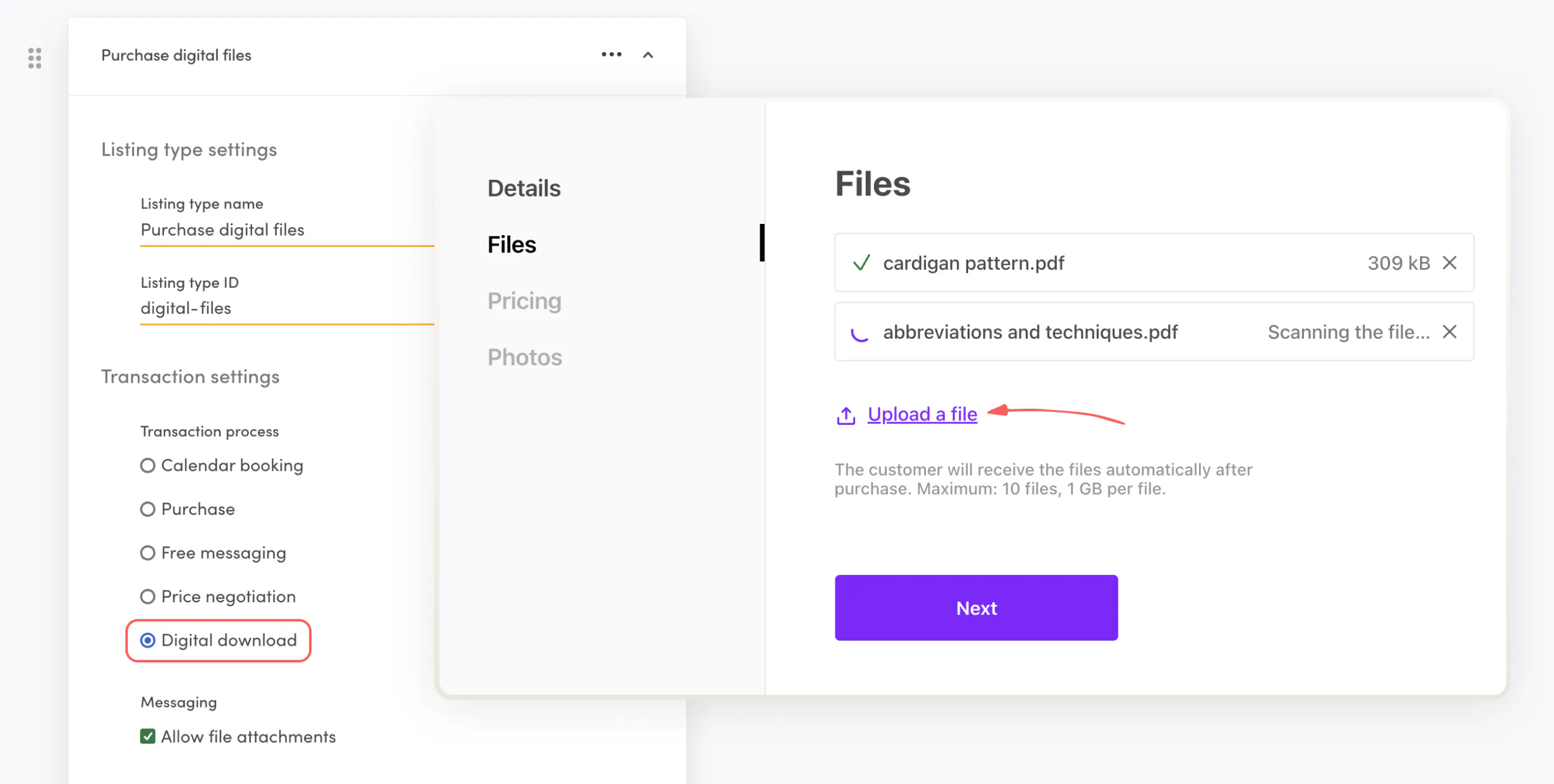
Digital download is an entirely new transaction process. You enable it in listing type settings.
- Create a new listing type.
- Choose Digital download as the transaction process type.
- Define further settings:
- Turn on/off Allow file attachments in transaction messages.
- Choose default listing fields.
- (Optional) Add transaction fields.
That’s it!
How it works
The new Digital download transaction process is built specifically for products that are delivered as a file. All files uploaded to a listing are held securely in Sharetribe-hosted storage and are directly accessible through your marketplace. Here’s how it works:
Here’s how it works:
1. A seller uploads up to 10 files when creating a listing, maximum 1 GB per file. The files stay hidden until someone buys the listing.
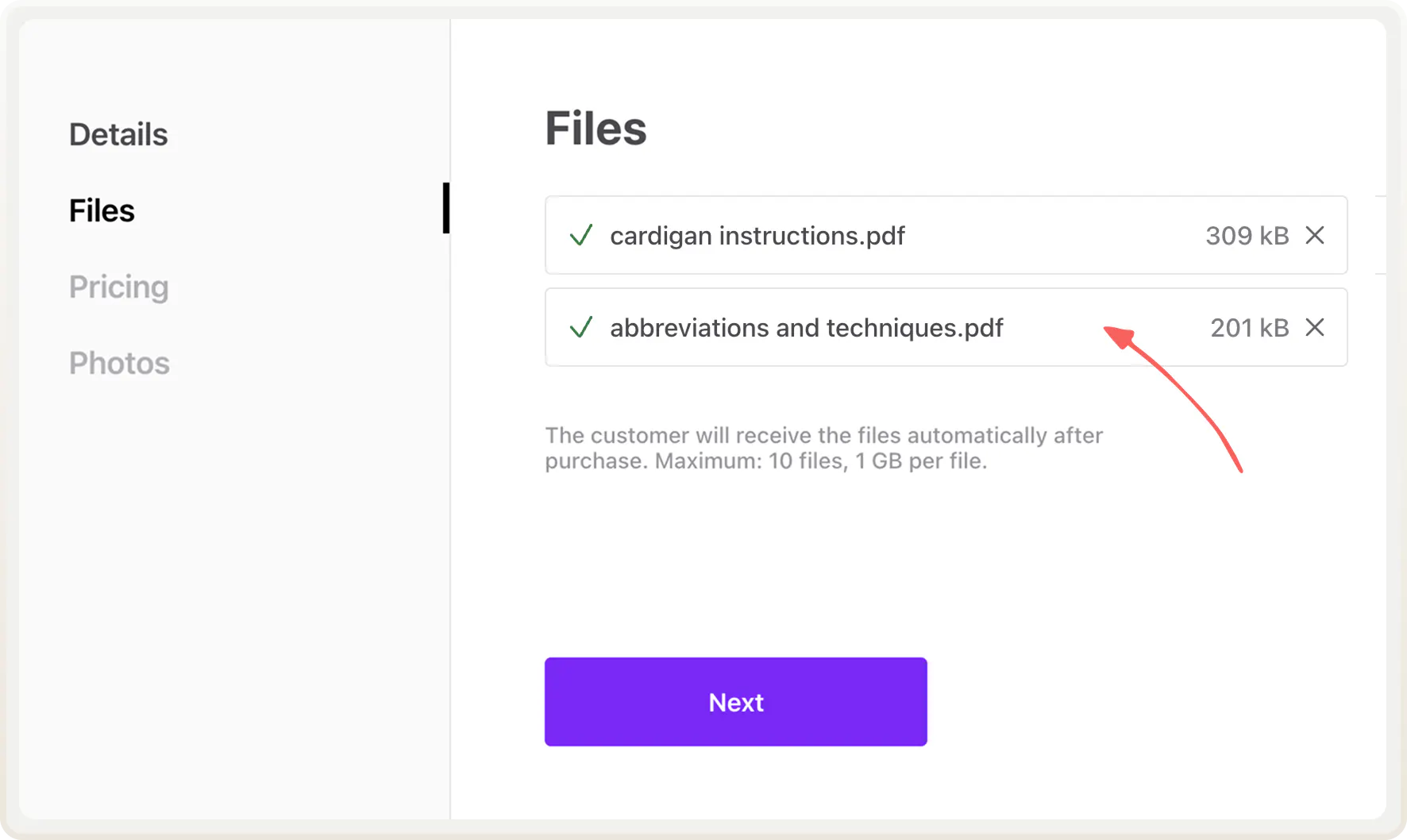
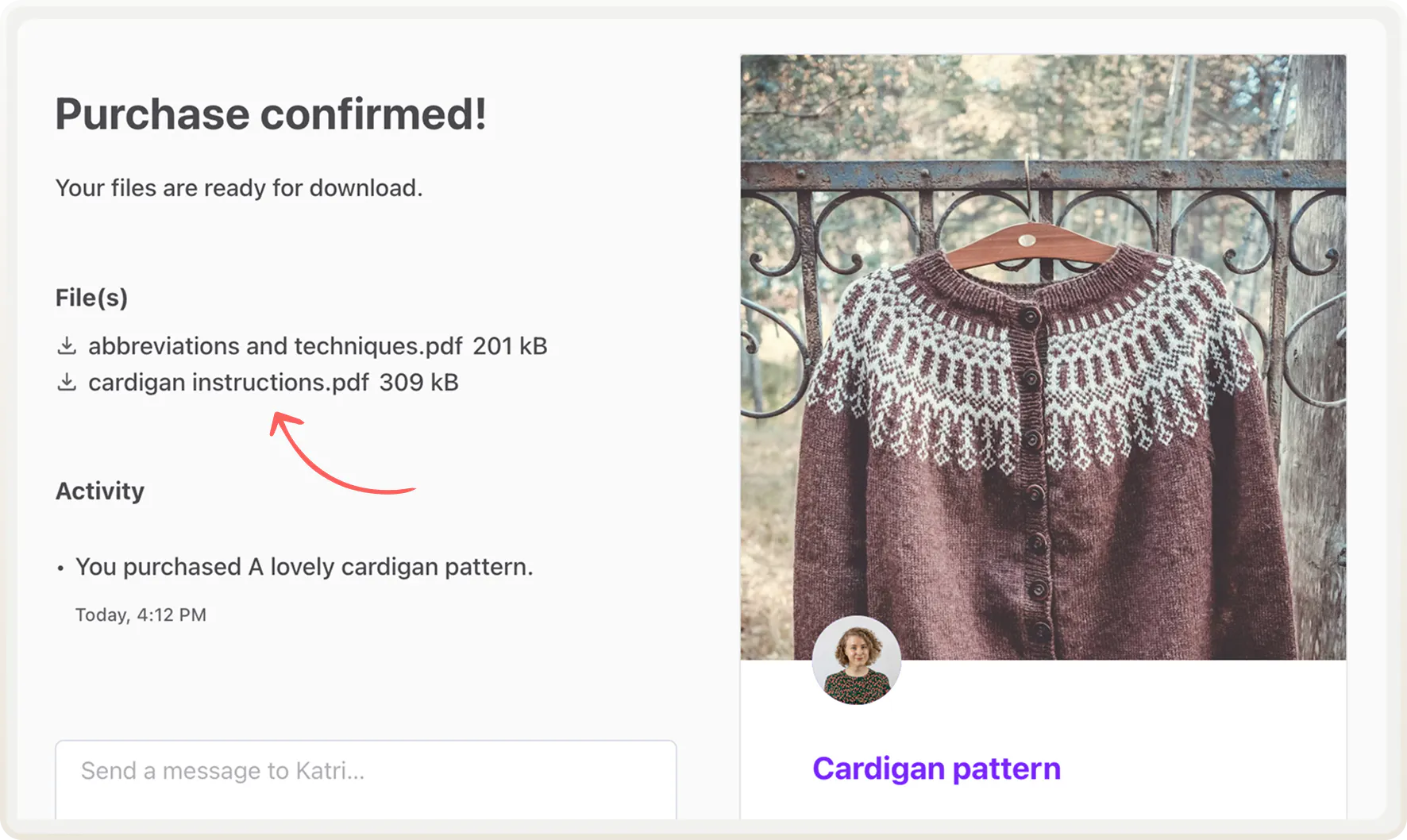
2. A customer pays for the listing. The payment automatically unlocks the files after purchase, and the customer can download them right on the transaction page.
3. The customer is asked to review the product seven days after purchase. The seller isn’t asked to leave a review, since they didn’t have to interact with the customer at all.
During the seven days before the review period, the customer has the option to report the purchase, in case there was something wrong with the file. At this point, you as the marketplace operator should review the transaction and file and resolve the report.
Learn more about how the digital download process works in the Help Center
Manage files in Console
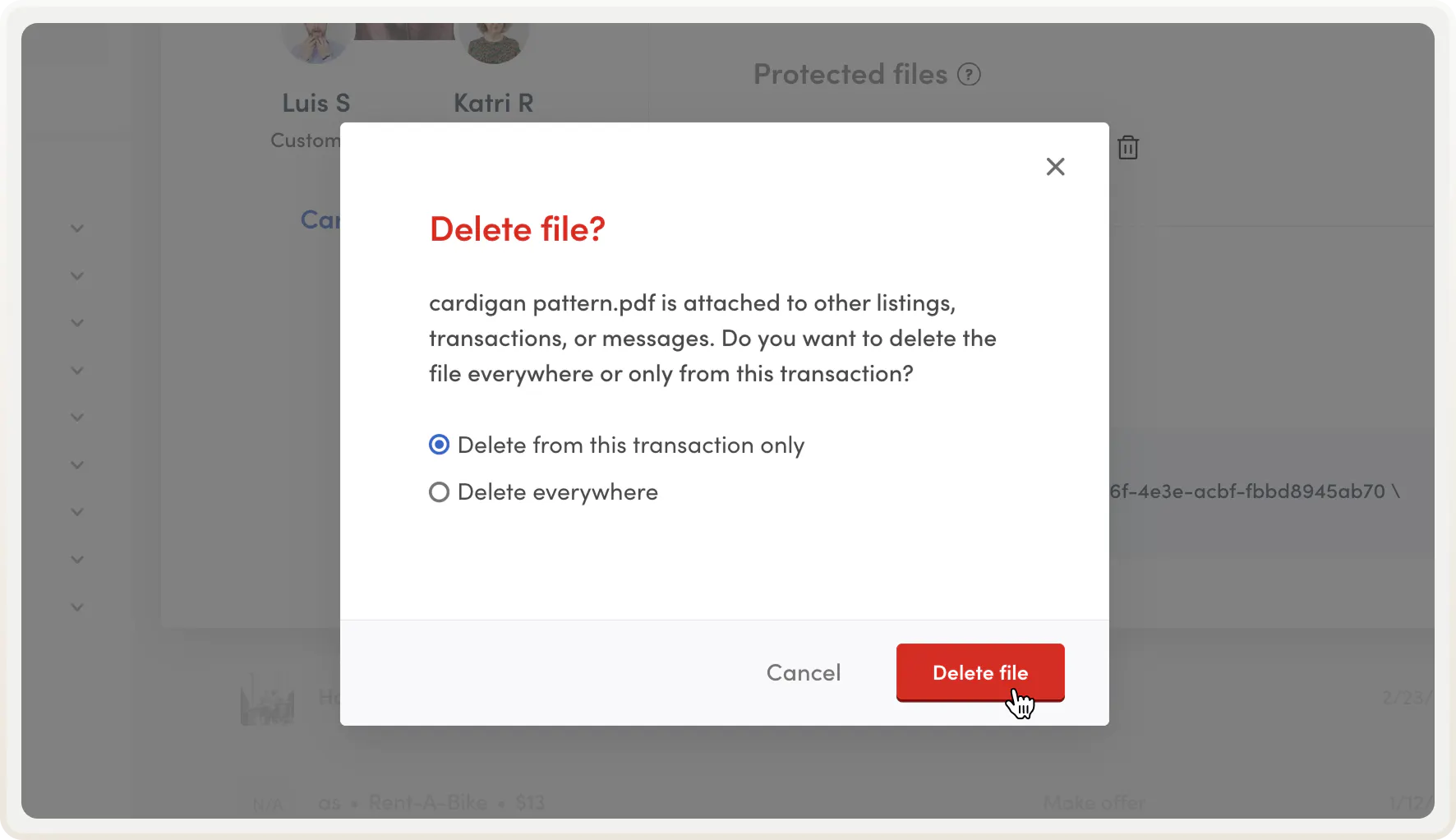
In Console, you can view, download, or delete any file attached to a listing or a transaction. If the same file has been sold more than once, you can choose to delete the file from a single transaction or from everywhere.
This means you can pull a file from a single sale without cutting off other buyers who already own it.
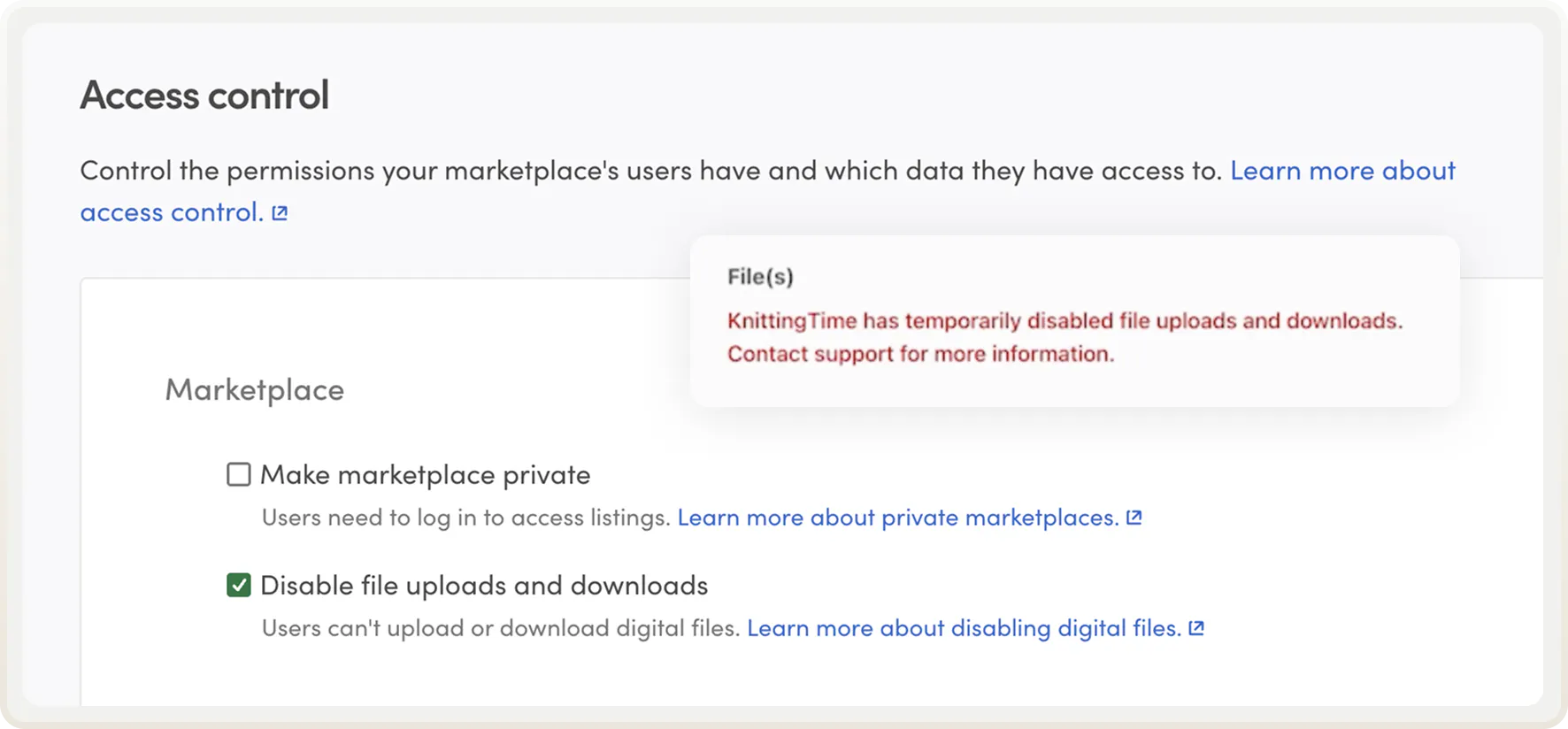
And if you ever need to act fast, for example, in the case of a spam attack, you can pause all file uploads and downloads on your marketplace in access control.
Update marketplace and email texts
This launch introduces new marketplace and email texts. You can find the new texts in Sharetribe’s Help Center:
Copy the new texts and paste them into your marketplace text and email text editors, especially if you want to make changes to them. Otherwise, your marketplace will use the default texts.
Start building your digital product marketplace today
Digital download is a transaction process built for selling all files sellers can create once and sell repeatedly. You can now set up seamless digital file sales on your marketplace without coding.
If your marketplace is for digital products, now’s the time to start building. Head over to your listing type settings right away.
Start your 14-day free trial
Create a marketplace today!
- Launch quickly, without coding
- Extend infinitely
- Scale to any size
No credit card required