New in Sharetribe 🎉 Custom sorting for search results
Shipped on
Sorting search results can be just as important to a great search experience as search filters. Choose which sorting options appear in search. Create custom sorting based on numeric listing metadata.
A great search experience on a marketplace has two main parts: filters and sorting. Filters help customers narrow down the options. Sorting helps them figure out which ones to look at first.
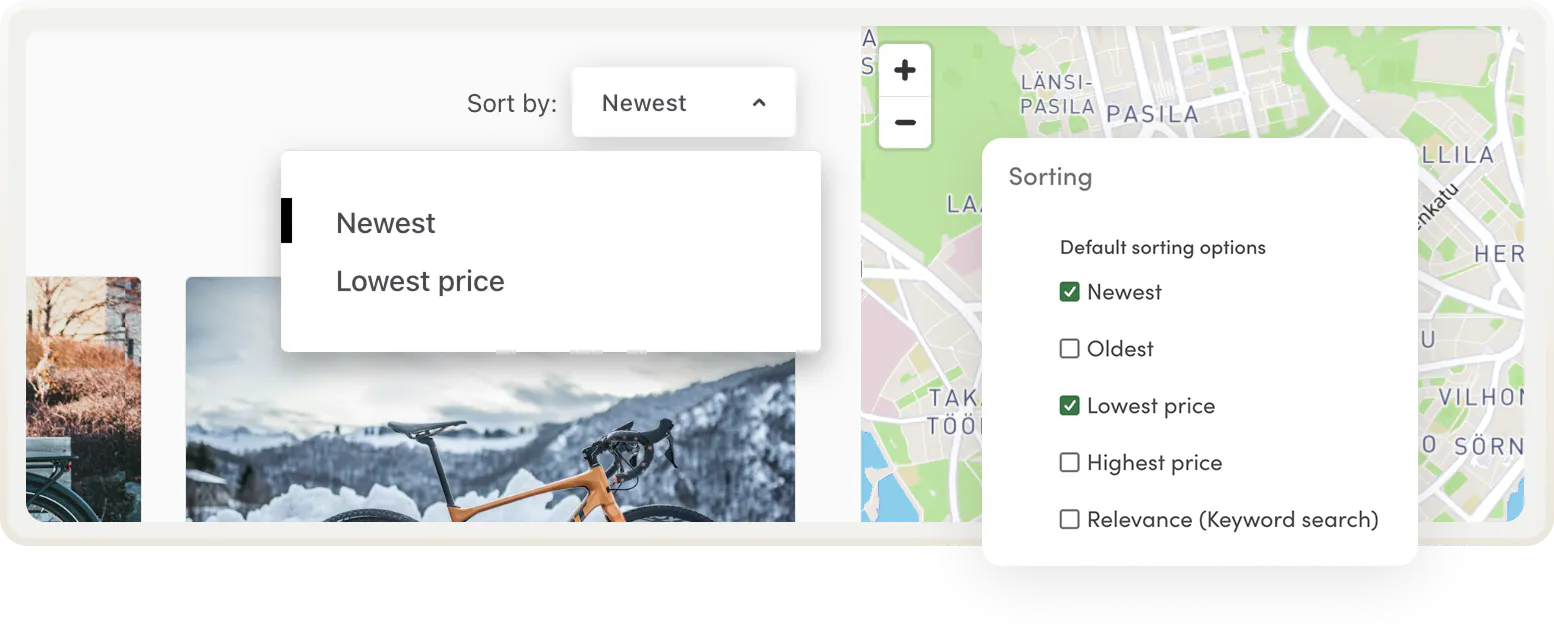
Before, Sharetribe's sorting options were fixed. You can now choose which default sorting options you want. You can also add new ones—and even create completely custom sorting orders for your search page with numeric metadata fields.
Default sorting options
Choose which default sorting options your search page has. In listing search settings, you’ll find a new section, Sorting options, where you can turn on or off the defaults:
- Newest
- Oldest
- Lowest price
- Highest price
- Relevance (when using keyword search)
If you disable all options, search results will be presented newest first, with no sorting dropdown shown to customers. If you enable just one option, that becomes the default. Unless of course you’ve also added custom sorting—more on that next!
Ways to use custom sorting
You can add sorting options using numeric metadata fields. Metadata is a new no-code feature that enables all sorts of use cases from featured listing collections and verified user proof. Metadata fields can only be filled by the marketplace operator in Console. Learn more about metadata in our last newsletter.
Add new sorting options like review average or popularity
Say you want to let customers sort by review score, popularity, or some other relevant metric. You can create custom sorting options like "Popular" or "Best rated" that customers can then use them to sort search results.
How to create a custom sorting option
Fully curate your sorting order
With custom sorting, you can control the order of listings on your search page. This can be a great idea for curated marketplaces where the ranking of results might be just as important as the listings themselves. For an early stage service marketplace in particular, it might be important to display the most reliable or best-performing providers first.
Follow the steps in the help center to set up custom ranking or check out the video clip from a recent Sharetribe Community event.
How to curate the default sorting order
Monetize top positions in search
High search placement is often a crucial factor in being noticed by potential customers. With custom sorting, you can monetize this visibility and offer higher positions in sorting to providers who pay a fee (instead of just showing newest listings first.
How to monetize high search placement
Take full control of the search page
These were just some examples of how you can use numeric metadata fields. How would you sort listings on your marketplace? With the new sorting capabilities, you can create a fully customized search experience for your marketplace. Choose the relevant default options or add custom sorting options and orders with numeric metadata fields.
Ready to try it? Head to listing search and listing field settings to configure your sorting options.
Start your 14-day free trial
Create a marketplace today!
- Launch quickly, without coding
- Extend infinitely
- Scale to any size
No credit card required