New in Sharetribe 🎉 Add user and listing data only you control
Shipped on
Use metadata to add trust signals like verification, featured listing collections, custom sorting for search, and more.
Some information about listings and users needs to come from you, the marketplace operator, not from the users themselves. Examples of such data could be:
- Verified user or listing status
- Featured listing status
- Ranking in search and sorting
- And more.
These are now possible with Sharetribe without coding, thanks to our newest feature release: metadata.
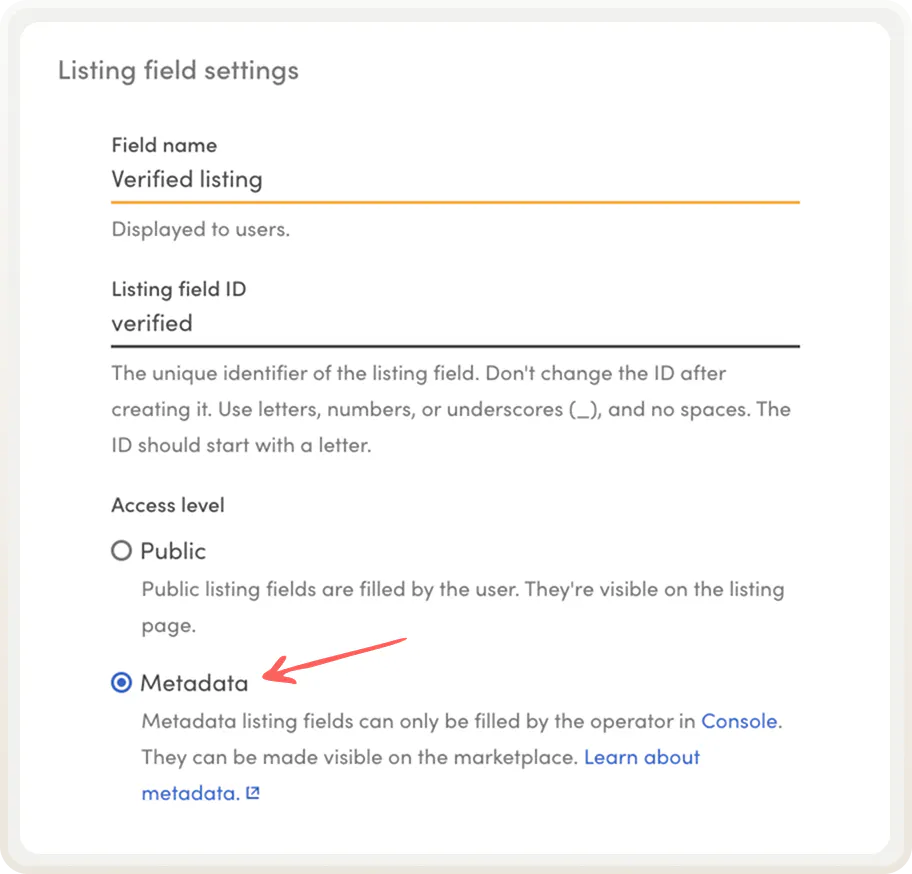
Metadata is a new access level setting in Console for both user and listing fields. But: it’s only editable in Console. Only marketplace operators can add, change, or delete metadata.
Let’s look at some powerful use cases for metadata.
How to use metadata
Metadata fields can store text or numbers. You can display them on listing pages and user profiles. Or you can only enable them for search to power the matching experience through things like custom sorting, filters, and featured listings. Or both! Let's look at some examples.
Display trust signals like Verified listing or Top seller
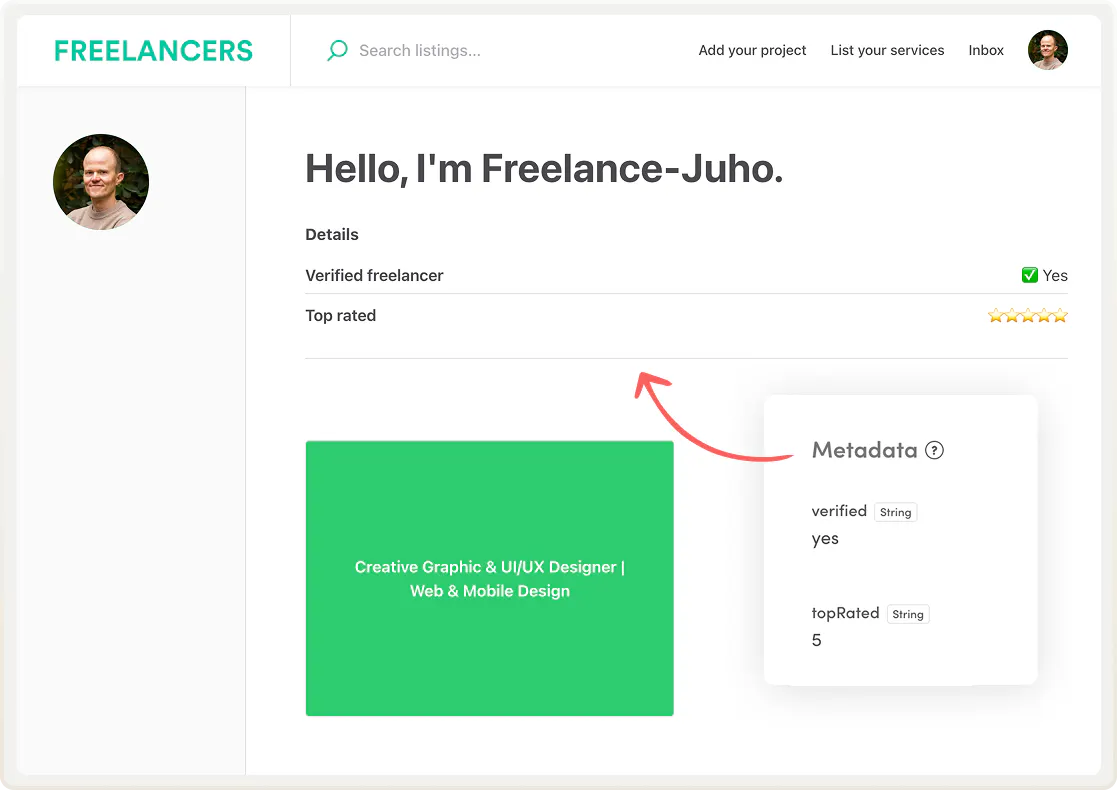
Build trust on your marketplace by adding quality signals to users or listings. For example, you can give verified status to users or listings by adding a Verified metadata field to listing or profile pages.
You can add other trust and quality signals as well, like Background checked, Top seller, or Insured. With metadata, quality markers are yours to grant—providers can't add them themselves.
Feature listings on content pages based on your criteria
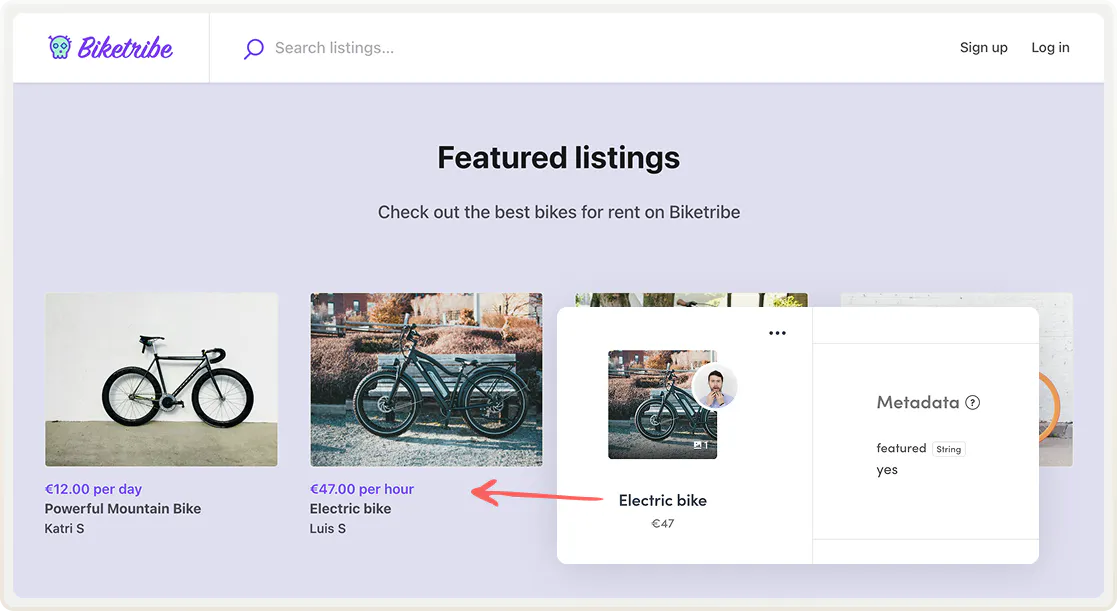
Metadata fields make featuring listings easier. You can now set up dynamic featured listing sections on your landing page or other content pages based on your own criteria that you add as metadata. Metadata gives you a reliable way to control exactly which listings appear, rather than relying on data that providers can add.
Control the search page experience
With numeric metadata, you can curate your search and sorting experience. For example, you could add a review score sorting option or create a custom listing order for your search page. Our next launch will go deeper into sorting and building the ideal search page experience with metadata: stay tuned!
Sell top placement or promoted visibility
Metadata lets you monetize visibility on your marketplace. Offer top position in search as a paid service, set a subscription fee for verified or premium status, charge providers for promoting their listings on your landing page, and so on. My colleague Yifan created a guide for monetizing with featured listings.

Show policies and other common elements on listing pages
If all listings on your marketplace share the same cancellation policy, return terms, or other rules, you can add these common elements with metadata when approving a listing, for example. The text comes from you and stays consistent across all listings, rather than being left to providers to add or leave blank.

Ready to get started with metadata?
You can create metadata fields in listing field and user field settings in Console. Find detailed step-by-step tutorials for creating metadata fields in the Help Center. Metadata can also be added and edited via the Integration API.
Metadata enables a ton of use cases for your marketplace. Whether you use it for trust signals, sorting, or monetizing visibility, it gives you control over user and listing data in a way that was previously only available to custom coders.
Head to listing field or user field settings in Console to create your first metadata field.
Start your 14-day free trial
Create a marketplace today!
- Launch quickly, without coding
- Extend infinitely
- Scale to any size
No credit card required