Private files and updatable transaction files
Shipped on
Two new file features are now available in Sharetribe’s APIs. Let users upload private files only they and the operator can see. Allow users to update protected files during a transaction. You can add the new file features with AI-assisted coding, even without previous development experience.
Digital files are part of how many marketplaces run: providers deliver their work as files, customers sign contracts, and you might ask new users for verification documents at signup. Sharetribe’s no-code version already lets users attach files to messages and add them to digital download listings.
Now, two new API features, private user files and updatable transaction files, open up even more use cases. Adding them to your marketplace requires custom code, but even if you’re not a developer, you can add them with AI-assisted coding.
Here are just a few things you can build:
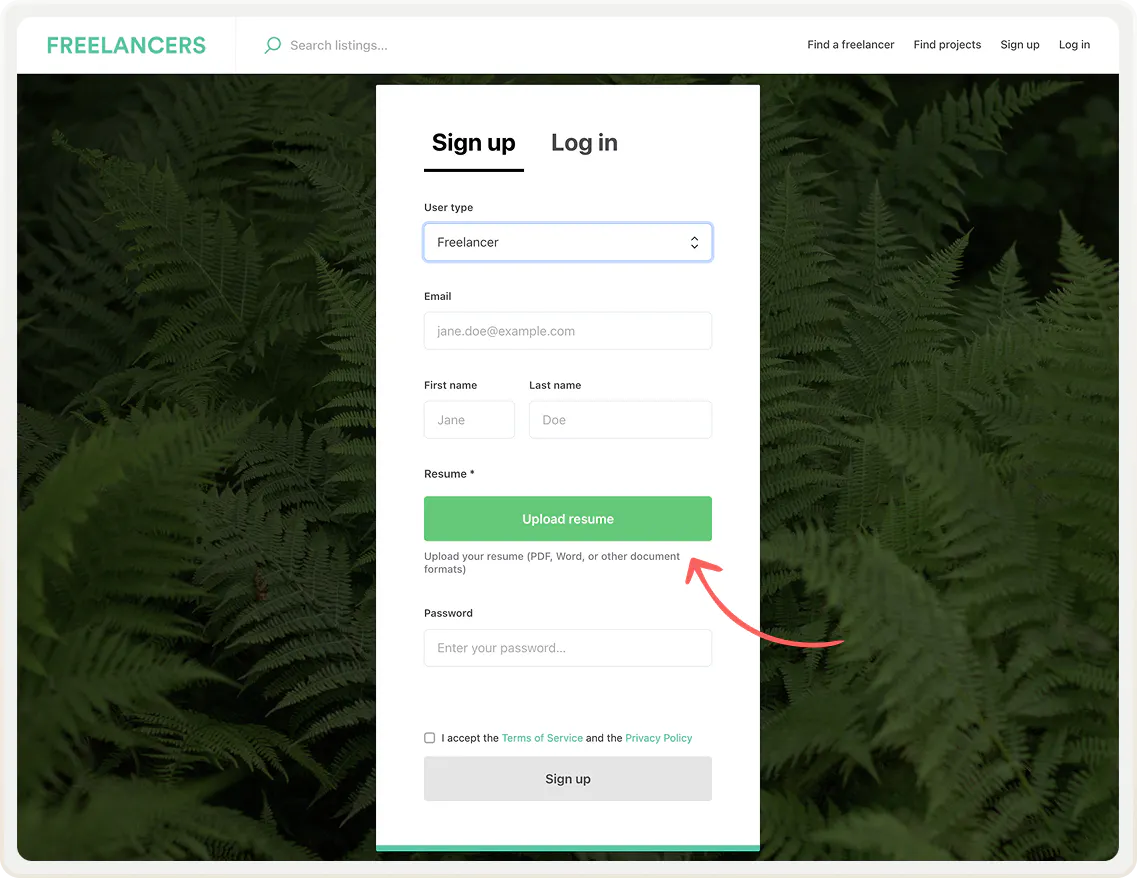
- Collecting a verification document like proof of insurance or a certificate when a user signs up
- Letting providers save files they send often, like a price list, so they don’t need to upload them again each time
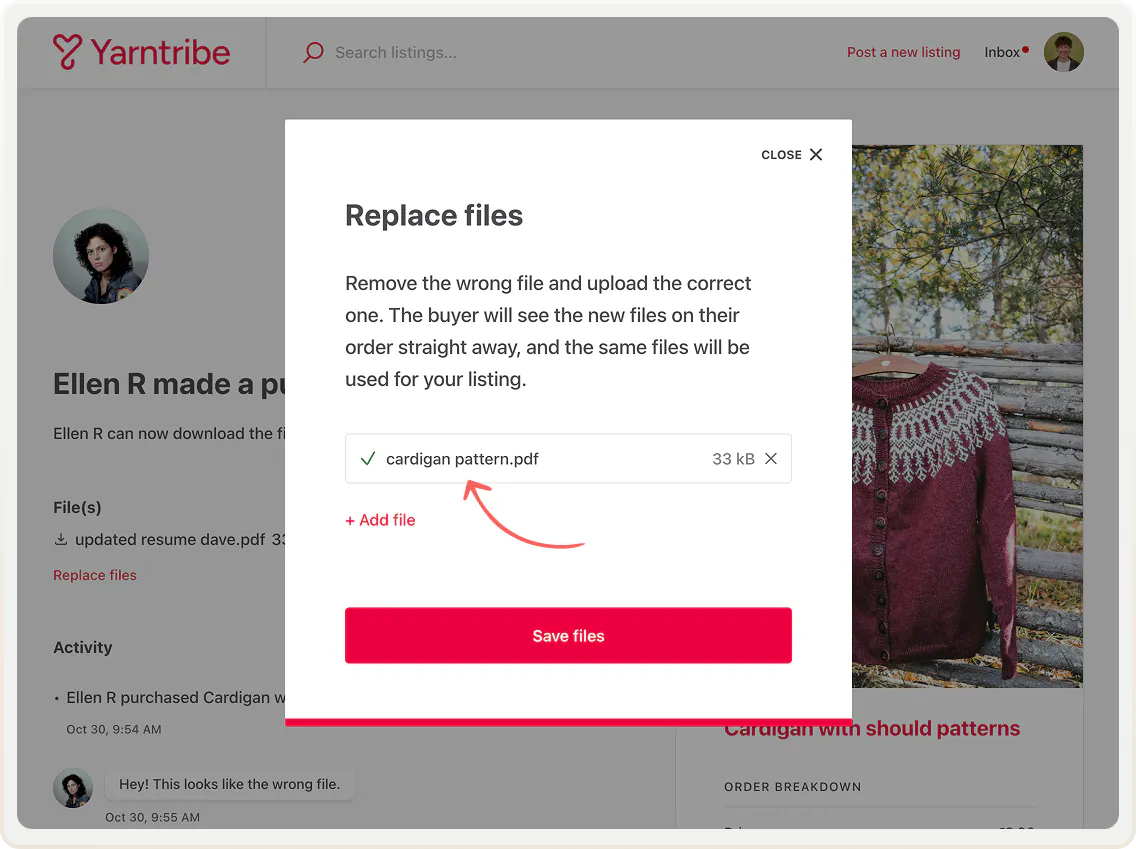
- Letting providers replace files delivered by mistake with correct ones
- Asking a customer to upload a signed PDF contract before moving a transaction forward
- Asking a provider for proof of delivery before payout, like a receipt or photos
Read on to learn more, and try the AI-assisted coding tutorials linked at the end of this email.
Private user files
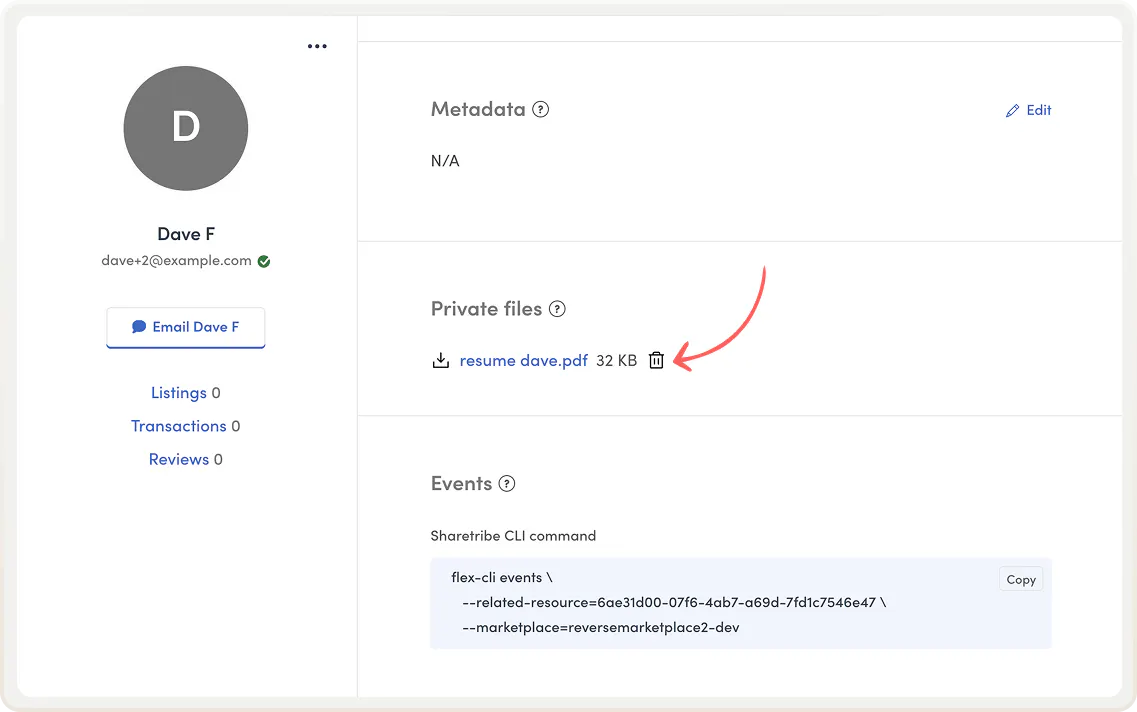
Private user files are stored on a user's account, and only the user and you, the operator, can access them. You can use private files to collect verification documents at sign-up or let providers save files they reuse across transactions.
You can view and download private files in user management in Console.
Learn more about files in developer documentation
Updating protected files during a transaction
Protected files are files attached to a transaction. For example, the digital download transaction process uses protected files. The seller uploads a file to a listing, and it’s revealed to the buyer automatically after payment. A new transaction process action lets your users update these types of files during a transaction. You can also update files through the Integration API.
For example, you can let providers replace wrong files, or ask customers to upload a signed agreement after a booking is accepted.
Start using these API features with AI-assisted coding
While these features require custom code, you don't need to be a developer to make use of them. AI coding tools like Claude Code can write the code for you from a plain-language description. This is called AI-assisted coding, or vibecoding, and we have a helpful tutorial on how to get started with it in our Help Center.
With Sharetribe's new pricing, you don’t need to upgrade your plan to make custom code changes, so it's a great time to give AI-assisted coding a try.
Here are tutorials of some features mentioned above that you can add to your marketplace. Use the prompts in the articles as is, or modify them to your exact needs:
- Private file upload at signup
- Let sellers replace digital download files
- Saved files in transaction messages
Or build something else! Ask a provider for proof of delivery before payout. Ask renters to upload photos of an item's condition at pickup and return. There are plenty of opportunities to add unique functionality with AI. You can build the exact user flows your marketplace needs.
Just remember: AI output is never exactly the same, so test your modifications carefully before releasing them to real users.
Do you have more file-related needs? Let us know!
These new API features are the last in a series of launches to add support for digital files in Sharetribe. Together with our no-code file features, they cover many of the workflows founders have requested from us.
In case you have another file feature you’d like to see in mind, we’d love to hear about it! Reach out to us at hello@sharetribe.com.
Start your 14-day free trial
Create a marketplace today!
- Launch quickly, without coding
- Extend infinitely
- Scale to any size
No credit card required